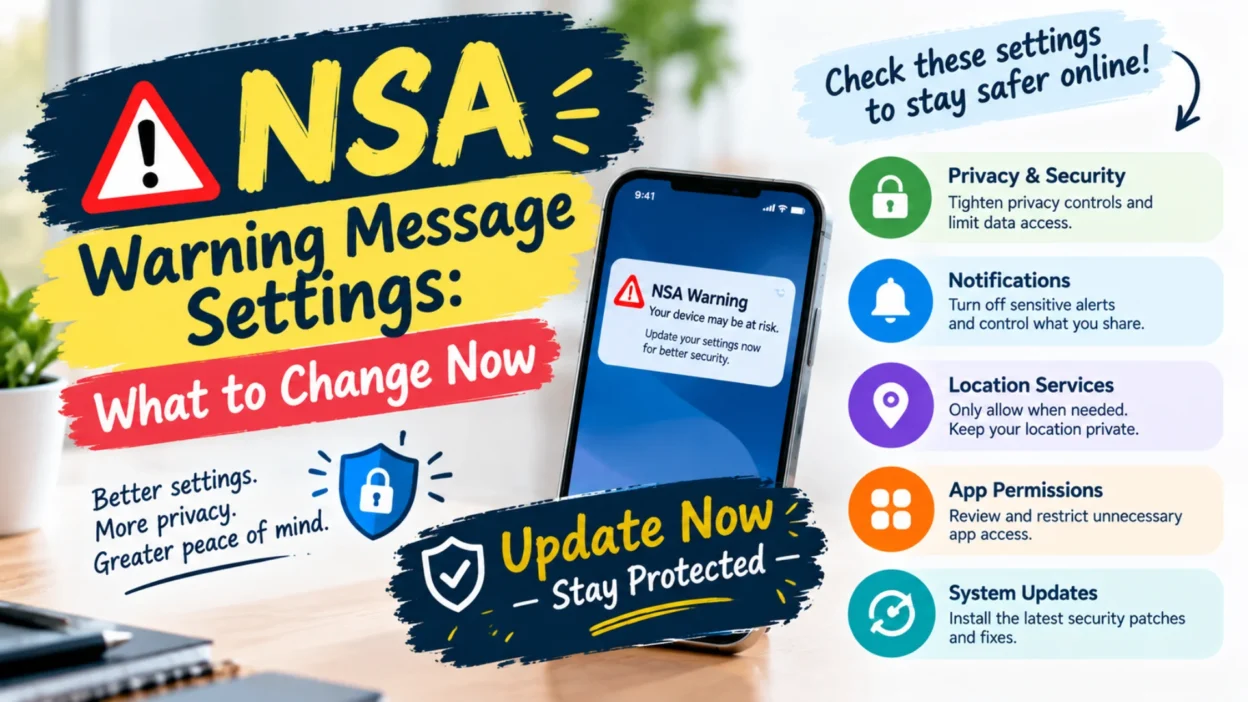
You open your messaging app and see a notification you didn’t expect. Or maybe you’ve read headlines about an NSA warning and you’re wondering if your private chats are actually private. Either way, the message is clear: secure messaging apps don’t protect you if your settings are working against you. The National Security Agency issued a warning about specific message settings that could leave your conversations exposed, and millions of users haven’t checked them yet.
This isn’t about a flaw in Signal, WhatsApp, or any other app. The encryption still works. The problem sits in the settings you control: linked devices, group invites, contact sharing, and location permissions. Hackers and intelligence agencies have found ways to exploit these settings to slip into conversations that users believed were locked down. Understanding what the warning actually says, and which toggles to check, is the first step toward fixing it.
This guide breaks down the NSA’s warning in plain language, walks through each setting that matters, and shows you exactly where to find them on iPhone and Android. No jargon, no panic, just practical steps.
What the NSA Warning Actually Said
The NSA’s warning came in response to a real attack. Google’s Threat Intelligence Group reported that Russia’s GRU, a military intelligence agency, had manipulated Signal’s group invite function to trick Ukrainian officials into inviting Russian operatives into secure chats. The same threat extended to WhatsApp and Telegram, according to Google’s report.
The NSA’s message was straightforward: this isn’t an app vulnerability. It’s a user settings problem. The agency advised messaging users to adjust their configurations, particularly around group links and linked devices. It also recommended basic security hygiene like setting a screen lock, changing app PINs regularly, and not sharing contact or status information beyond trusted circles.
The warning gained urgency after a separate incident where U.S. officials accidentally added a journalist to a Signal group chat discussing sensitive military plans. That mistake happened partly because of AI-driven contact suggestions on iPhones, which pulled contact details from messages and suggested adding them to group chats.
Why “Secure” Messaging Apps Aren’t Automatically Secure
End-to-end encryption protects the content of your messages as they travel. It scrambles the data so only the sender and receiver can read it. That part works. But encryption doesn’t protect against everything.
If someone can link their device to your account, they can read your messages as they arrive. If they can trick you into joining a group through a malicious invite link, they can sit inside the conversation. If your contact sharing settings are too open, your private information can leak into unintended places. Encryption protects the message in transit. It doesn’t protect the endpoints, and it doesn’t protect the settings that control who can join and who can see what.
That’s why the NSA’s warning focuses on settings rather than software updates. The apps aren’t broken. The configurations are.
The Two Settings the NSA Wants You to Check First
The NSA’s advisory highlights two features above all others: Linked Devices and Group Links. These are the settings most commonly exploited in the attacks that prompted the warning.
Linked Devices: The Biggest Risk
Linked Devices lets you access your messaging account from multiple devices, like a laptop or tablet. The feature is convenient. It’s also dangerous if an attacker gains access to your primary phone and links their own device.
Once a device is linked, it creates a fully synced copy of your messages. Every conversation, every attachment, every group chat, all replicated on the attacker’s device. You won’t necessarily notice unless you check the Linked Devices menu regularly.
The fix is simple: open your messaging app, find the Linked Devices settings, and review every device on the list. If you don’t recognize one, remove it immediately. If you’re unsure, remove it anyway. You can always link it again later.
Group Links: A Door for Uninvited Guests
Group Links allow anyone with a link to join a group chat. In Signal, this feature was exploited to link attacker devices instead of legitimate group members. The NSA’s advice is direct: disable Group Link in Signal group settings. In WhatsApp, the option isn’t available, but you can restrict group membership so only administrators can add new members. Avoid sharing group links for any sensitive conversation.
iPhone Settings the NSA Warning Points To
The NSA warning specifically mentions iPhone settings that contributed to the contact suggestion problem. Two settings work together to create the vulnerability.
First, check the contact access settings for your messaging app. Go to Settings, then Apps, then your messaging app, then Contacts. If this is set to anything other than “None,” the app can pull contact details automatically. It’s more secure to add contacts manually within the app itself.
Second, check Apple Intelligence and Siri settings. Go to Settings, then Apple Intelligence & Siri, then Apps, then Contacts. Disable “Show Contact Suggestions.” In the same menu, disable “Learn from this App.” These settings control whether Siri uses your messages to suggest contacts and whether third-party apps can share contact data with iOS.
If you use Signal, there’s one more setting inside the app itself. Disable “Share Contacts with iOS.” This prevents Signal from sending contact suggestions back to the operating system.
Android Settings to Review After the Warning
Android users aren’t immune to the same risks. The core advice applies across platforms: check linked devices, restrict group additions, and limit contact sharing.
On Android, open your messaging app’s settings and look for Linked Devices. Review the list and remove anything unfamiliar. For group settings, adjust permissions so only administrators can add members. In WhatsApp, this is found in the group’s settings under “Group Permissions.”
Android also has its own location and privacy settings worth checking. The NSA previously advised users to adjust location sharing so apps can only access location data “While Using” the app, not “Always.” This limits how much data apps collect in the background.
For Google Messages users, there’s a setting called “Sensitive Content Warnings.” You can find it by tapping your profile picture, then Messages settings, then Protection and safety, then Manage sensitive content warnings. Turning this off prevents the app from analyzing message content.
How to Check Your Settings Right Now
Here’s a quick checklist you can run through in a few minutes.
Linked Devices: Open your messaging app. Find Linked Devices. Remove anything you don’t recognize.
Group Links: If you use Signal, disable Group Link for every group. If you use WhatsApp, set groups so only admins can add members.
Contact Sharing: On iPhone, restrict contact access for messaging apps. Disable Siri contact suggestions. In Signal, turn off “Share Contacts with iOS.”
Location Settings: Go to your phone’s app permissions. Set location access to “While Using” or “Never” for apps that don’t need it.
Screen Lock and PIN: Enable screen lock on your phone. Change your messaging app PIN regularly.
Auto-Download: Disable automatic media downloads in messaging apps. This prevents malicious files from saving to your device without your action.
Common Mistakes People Make After NSA Warnings
A warning like this triggers a rush of advice, and not all of it is accurate. Here are the mistakes people commonly make.
Assuming the app is broken. The NSA explicitly said the issue isn’t with Signal or WhatsApp’s encryption. Switching apps won’t fix a settings problem. The settings need to change, regardless of which app you use.
Panicking and deleting the app. Secure messaging apps remain one of the best tools for private communication. Deleting them removes protection you actually want. The goal is to configure them correctly, not abandon them.
Ignoring the warning because “I have nothing to hide.” The attacks aren’t targeted only at government officials. Anyone using group links or linked devices is potentially exposed. The fix takes minutes and costs nothing.
Forgetting to check again later. Settings can change with app updates. A linked device from months ago might still be active. Make a habit of reviewing these settings every few months.
Sharing group links in public spaces. Posting a Signal or WhatsApp group link on social media or in a public forum opens the door to anyone. Keep invite links private and share them only through trusted channels.
When the Warning Doesn’t Apply to You
The NSA’s advisory was issued in the context of government and military communications, but the settings it highlights affect all users. That said, not every recommendation is equally urgent for everyone.
If you use messaging apps only for casual chats with friends and family, the risk of a state-sponsored attack targeting you is low. However, the same settings that protect against sophisticated attacks also protect against common scams and account takeovers. Checking them is still worthwhile.
If you work in journalism, activism, law, or any field where private communications matter, the NSA’s advice is closer to essential. The same applies to anyone who handles sensitive client information or coordinates with vulnerable communities.
The key is proportionality. The settings changes are simple and low-cost. There’s little reason not to make them.
How to Stay Safe Without Giving Up Convenience
Security and convenience don’t have to be enemies. A few adjustments can protect your messages without making your phone annoying to use.
Use a password manager to store and rotate app PINs. Enable biometric unlock for your messaging apps so you don’t have to type a PIN every time. Keep automatic media downloads off, but manually save files you actually need. Review linked devices monthly, the same way you’d check a bank statement.
These small habits add up. They won’t make you invincible, but they close the doors that attackers most commonly use. The NSA’s warning isn’t a reason to fear your phone. It’s a reminder that security is a practice, not a product.
FAQs
What is the NSA warning about message settings?
The NSA warned that certain messaging app settings, particularly Linked Devices and Group Links, can be exploited by attackers to access secure conversations. The issue isn’t with the apps themselves but with user configurations that leave doors open.
Which apps are affected by the NSA warning?
Signal, WhatsApp, and Telegram are all mentioned in the advisory. The underlying settings issues apply broadly to secure messaging apps that support linked devices and group invite links.
How do I check my Linked Devices?
Open your messaging app and look for a “Linked Devices” option in the settings menu. Review every device on the list. Remove anything you don’t recognize immediately. Your primary phone can unlink all other devices.
Should I disable Group Links in Signal?
The NSA recommends disabling Group Link for groups where sensitive information is shared. This prevents anyone with the link from joining. In WhatsApp, restrict group additions to administrators only.
What iPhone settings did the NSA mention?
The NSA pointed to contact-sharing settings within messaging apps and Siri’s contact suggestion features. Disabling “Show Contact Suggestions” and “Learn from this App” reduces the risk of AI-driven contact leaks.
Is this warning only for government users?
No. While the warning was issued in the context of government communications, the settings it addresses affect all users of secure messaging apps. Anyone who uses group links or linked devices is potentially exposed.
Does this mean Signal and WhatsApp are unsafe?
No. The encryption in these apps remains strong. The warning is about settings, not the core security of the apps. Configuring them correctly addresses the issue.
How often should I review my message settings?
A good habit is to review linked devices and group permissions every one to three months. App updates can change defaults, and old linked devices can remain active without your knowledge.
Final Thoughts
The NSA warning about message settings isn’t a reason to abandon secure messaging apps. It’s a reminder that security depends on how you configure them. Linked Devices and Group Links are the two settings most commonly exploited, and both are easy to check and fix. On iPhone, contact sharing and Siri suggestions add another layer to review. On Android, location permissions and group controls deserve the same attention.
The steps are simple: open your app, find the settings, review what’s there, and remove anything that doesn’t belong. It takes a few minutes. It closes doors that attackers rely on. And it makes the encryption you already have actually work the way you expect it to.

Serhii Dunev is a passionate content creator dedicated to crafting meaningful texts, messages, and word inspirations. He aims to help people express their emotions clearly through simple and impactful words.