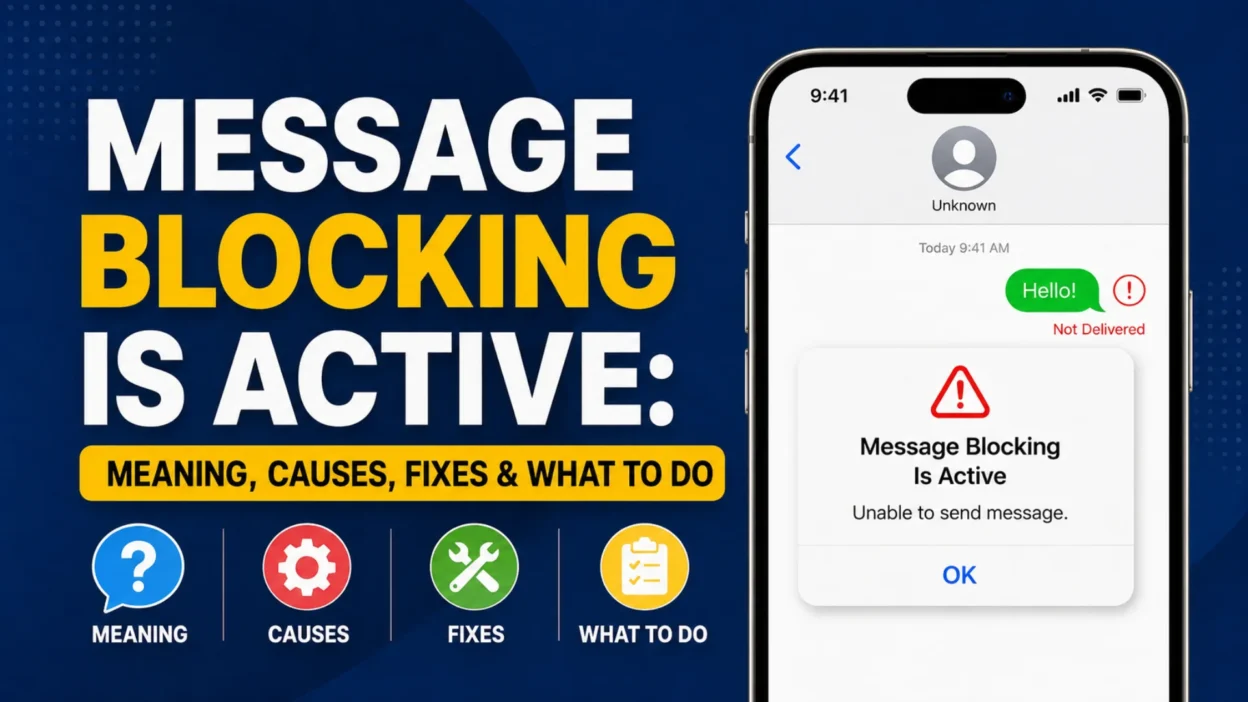
Seeing “message blocking is active” when you try to send a text can be confusing, especially when you haven’t blocked anyone yourself. In most cases, the alert means your SMS or MMS message is being stopped by a phone setting, account restriction, carrier rule, blocked number, or messaging configuration.
The important point is that the message doesn’t automatically mean someone has blocked you. The cause depends on whether the error appears with one contact or several people, whether you’re using an iPhone or Android phone, and whether other messaging services still work. Carrier support documentation also shows that an error affecting one specific recipient can have a different cause from an account-wide messaging restriction.
This guide explains what the alert means, why it happens, how to troubleshoot it, and when contacting your mobile carrier is the fastest solution.
What Does “Message Blocking Is Active” Mean?
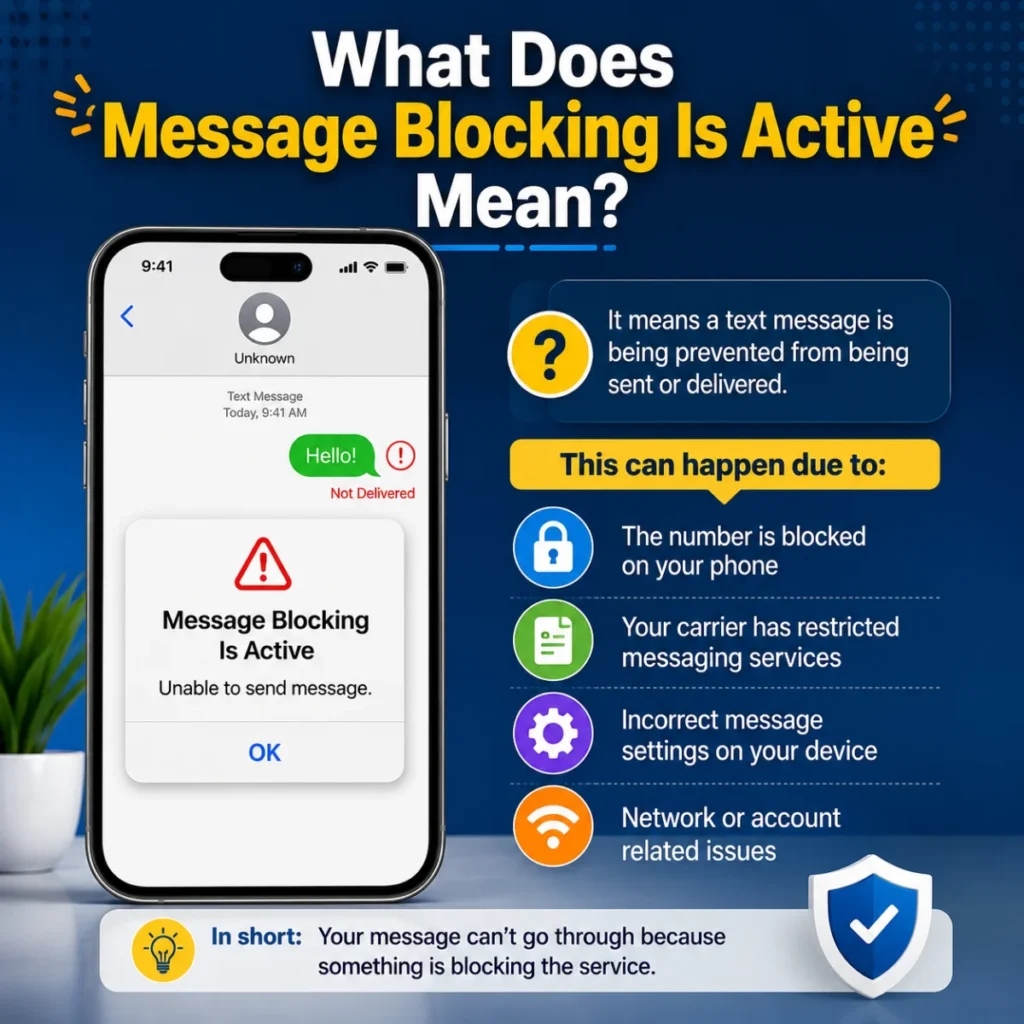
“Message blocking is active” means a text message is being prevented from being sent or delivered. The restriction can exist at different points in the messaging process.
For example, your phone might have the recipient blocked. Your mobile account might also have SMS disabled. In other cases, the carrier can restrict certain types of messages, such as premium or short-code texts.
Therefore, don’t assume the problem comes from the person you’re texting. The same error can have several causes. Current troubleshooting guides from major tech publications and carrier support pages identify blocked numbers, account restrictions, incorrect settings, and carrier-side issues among the common possibilities.
The wording can also vary slightly. You might see:
- “Free Msg: Unable to send message – Message Blocking is active”
- “Unable to send message”
- “Message blocking is active”
- “Message blocked”
Despite the different wording, the underlying problem is usually that the SMS/MMS message cannot pass through the available messaging service.
Does Message Blocking Mean Someone Blocked You?
Not necessarily. This is one of the most common misunderstandings about the error.
If the alert appears only when you text one particular person, a blocked contact or recipient-side restriction becomes more plausible. T-Mobile’s troubleshooting guidance specifically notes that an error occurring when texting a specific person can indicate message blocking associated with that recipient.
However, if the error appears when you text several different people, the problem is more likely to involve your own phone, SIM, account, messaging settings, or carrier service.
Consider this simple comparison:
What happens?What it may indicateError with one personBlocked number or recipient-specific restrictionError with everyoneAccount, carrier, SIM, or messaging issueSMS fails but iMessage worksSMS/carrier problem may be involvedOnly short codes failShort-code or premium messaging restrictionMessages stopped after a plan changeAccount provisioning or plan issueProblem started after changing SIM/eSIMLine or network configuration issue
These clues don’t prove the exact cause. They simply help narrow the troubleshooting path.
Why Is Message Blocking Active?
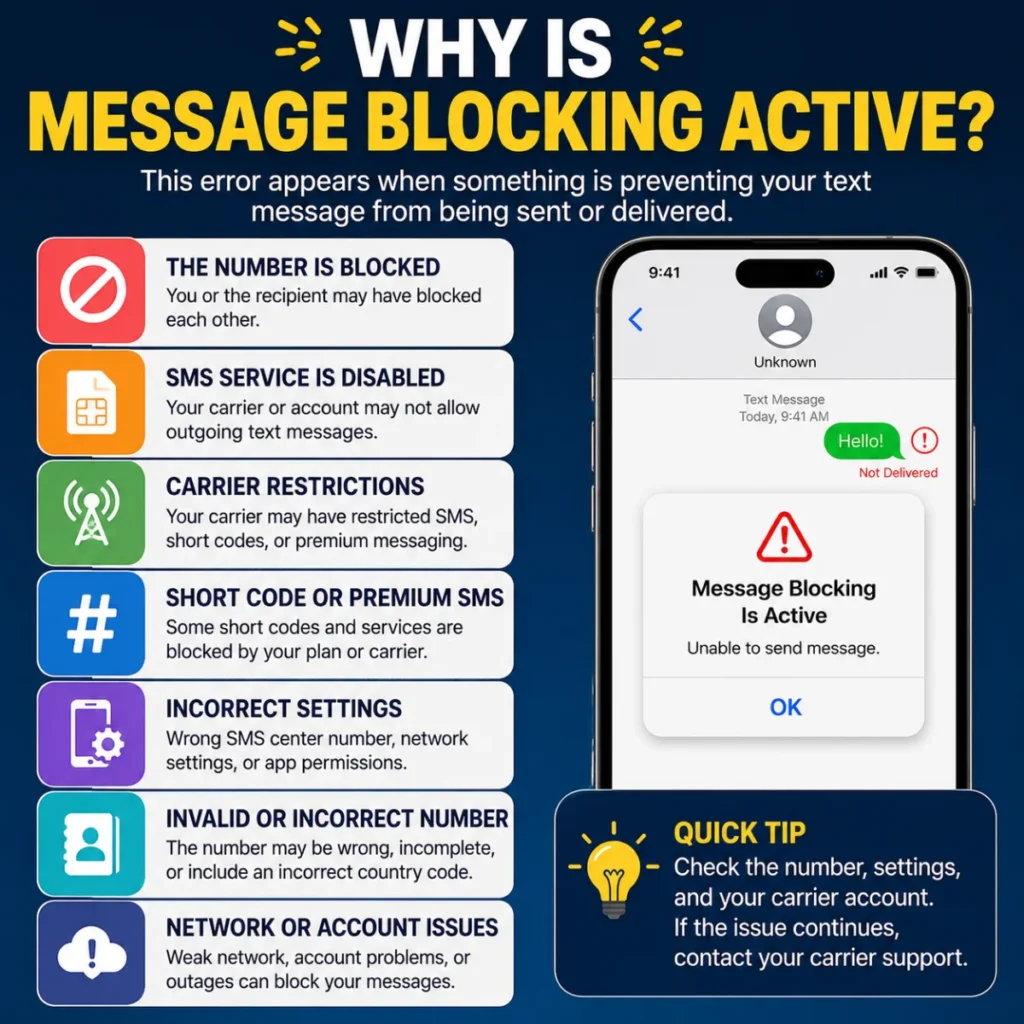
Several issues can trigger this message. Some are easy to correct, while others require carrier assistance.
1. The Contact Is Blocked
Your phone may have the recipient on its blocked list. This can happen accidentally, especially after changing contacts or phone settings.
Check your blocked contacts before changing more complicated settings. If the number appears there, remove it and try sending the message again.
2. SMS Service Isn’t Enabled
Your mobile plan or account may not currently support outgoing SMS. This can happen after an account change, SIM activation problem, plan change, or carrier-side restriction.
In some situations, data and internet-based messaging can continue working even though traditional SMS isn’t available.
3. Your Account Has a Carrier Restriction
A carrier can place restrictions on messaging services for account or service reasons. Billing problems, plan limitations, account configuration, or messaging controls can all require attention.
Consequently, checking your carrier account is often more useful than repeatedly restarting the messaging app.
4. You’re Sending to a Short Code
Short codes are typically short numbers used by businesses and services for verification messages, alerts, subscriptions, and other automated communications.
Some carriers or plans restrict certain short-code or premium messaging services. Appuals also identifies short-code restrictions as a possible cause of the error.
5. The Phone Number Is Incorrect
A missing digit, incorrect country code, or outdated contact entry can interfere with messaging.
This matters particularly when you’re texting an international number. T-Mobile’s official troubleshooting guidance recommends checking that the number is entered correctly, including the country code where applicable.
6. SIM or eSIM Problems
A SIM that isn’t properly activated or a misconfigured eSIM can cause cellular messaging problems.
If the issue began immediately after switching SIM cards, activating an eSIM, changing phones, or moving your number between devices, investigate the cellular line first.
7. Carrier or Network Problems
Sometimes the phone itself isn’t responsible. A carrier-side outage, provisioning problem, or temporary messaging service issue can prevent texts from leaving your device.
If multiple people cannot send SMS from the same carrier around the same time, a service problem becomes more likely.
Message Blocking Is Active on iPhone: What to Check
The troubleshooting process on an iPhone depends on whether you’re sending an iMessage or a regular SMS.
Blue messages generally use iMessage, while green messages indicate SMS/MMS or another carrier-based messaging route. If iMessage works but green-bubble messages fail, the cellular messaging service deserves particular attention.
Start with these checks:
Check the Recipient’s Number
Make sure the phone number is correct and includes the proper country code when needed.
Review Your Blocked Contacts
Open your blocked contacts and confirm that you haven’t accidentally blocked the person you’re trying to text.
Check SMS Messaging
Make sure SMS messaging is available on your iPhone and that your cellular service is active.
Restart Your iPhone
A simple restart can sometimes clear a temporary network or messaging problem.
Check for Carrier Updates
Open your iPhone’s general settings and check whether a carrier settings update is available.
Update iOS
Install any available iOS update. Keeping your iPhone updated can help prevent compatibility and messaging issues.
Check Your Cellular Plan
Confirm with your carrier that SMS messaging is active on your mobile line.
Reset Network Settings if Necessary
If other troubleshooting steps don’t work, resetting network settings can help resolve certain connectivity problems. Keep in mind that this removes saved Wi-Fi and network configurations.
Apple-related troubleshooting can differ by iOS version, so menu names may change over time. Current iPhone troubleshooting guides also recommend checking the blocked list, SMS functionality, carrier settings, and network configuration.
Message Blocking Is Active on Android: What to Check
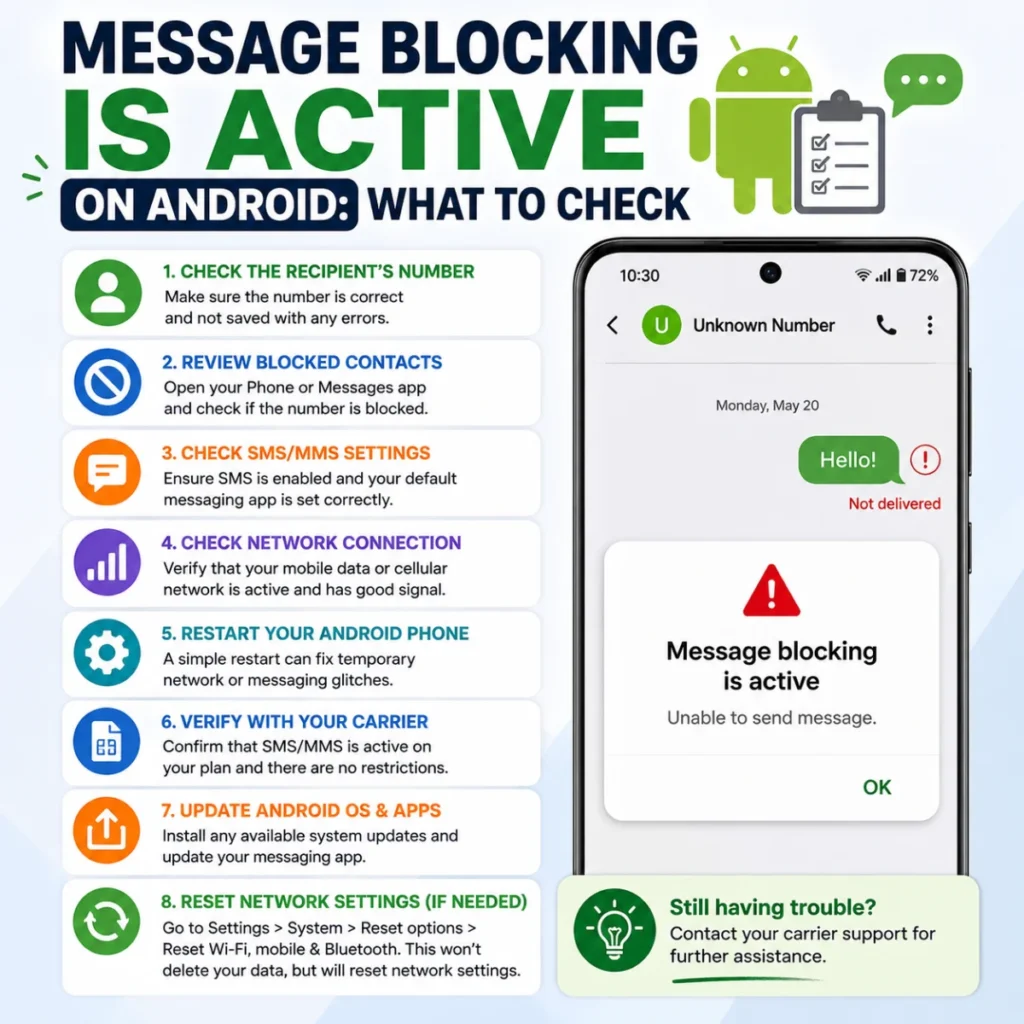
Android phones use different interfaces depending on the manufacturer and messaging app. A Samsung phone, Pixel phone, and another Android device may therefore display different menu names.
Still, the basic diagnostic process remains similar.
First, check whether the recipient appears in your blocked numbers or spam list. Next, confirm that your SIM is active and that your mobile plan supports SMS.
You can also try these steps:
- Restart the phone.
- Check cellular signal strength.
- Verify the recipient’s number.
- Remove the number from the blocked list if necessary.
- Make sure the correct SIM is selected for SMS on dual-SIM phones.
- Update the messaging app.
- Install available system updates.
- Check your carrier account.
- Clear the messaging app cache if your phone provides that option.
- Contact the carrier if SMS remains blocked.
Some Android troubleshooting also involves carrier-specific settings such as SMSC or APN configuration. However, don’t change these values randomly. Incorrect network settings can create additional problems. T-Mobile’s official guidance, for example, provides specific Android troubleshooting steps for its own service.
A Faster Way to Find the Real Cause
Instead of trying every possible fix, use the pattern of the error to narrow it down.
If only one person is affected
Check the number and your blocked contacts first. If everything looks normal, the issue may be associated with the recipient’s line or carrier.
If every text fails
Focus on your account, SIM/eSIM, SMS service, network configuration, and carrier status.
If iMessage works but SMS doesn’t
On an iPhone, this points toward the SMS/carrier side rather than proving that the entire messaging system is broken. Green-bubble texts rely on carrier messaging, while iMessage uses Apple’s internet-based service.
If only verification codes fail
Investigate short-code or premium-message restrictions. Don’t assume your normal SMS service is completely disabled.
If the problem began after switching phones
Check SIM activation, eSIM configuration, carrier settings, and whether your number has been correctly provisioned on the new device.
This approach saves time because you diagnose the pattern instead of blindly changing settings.
What You Shouldn’t Do When This Error Appears
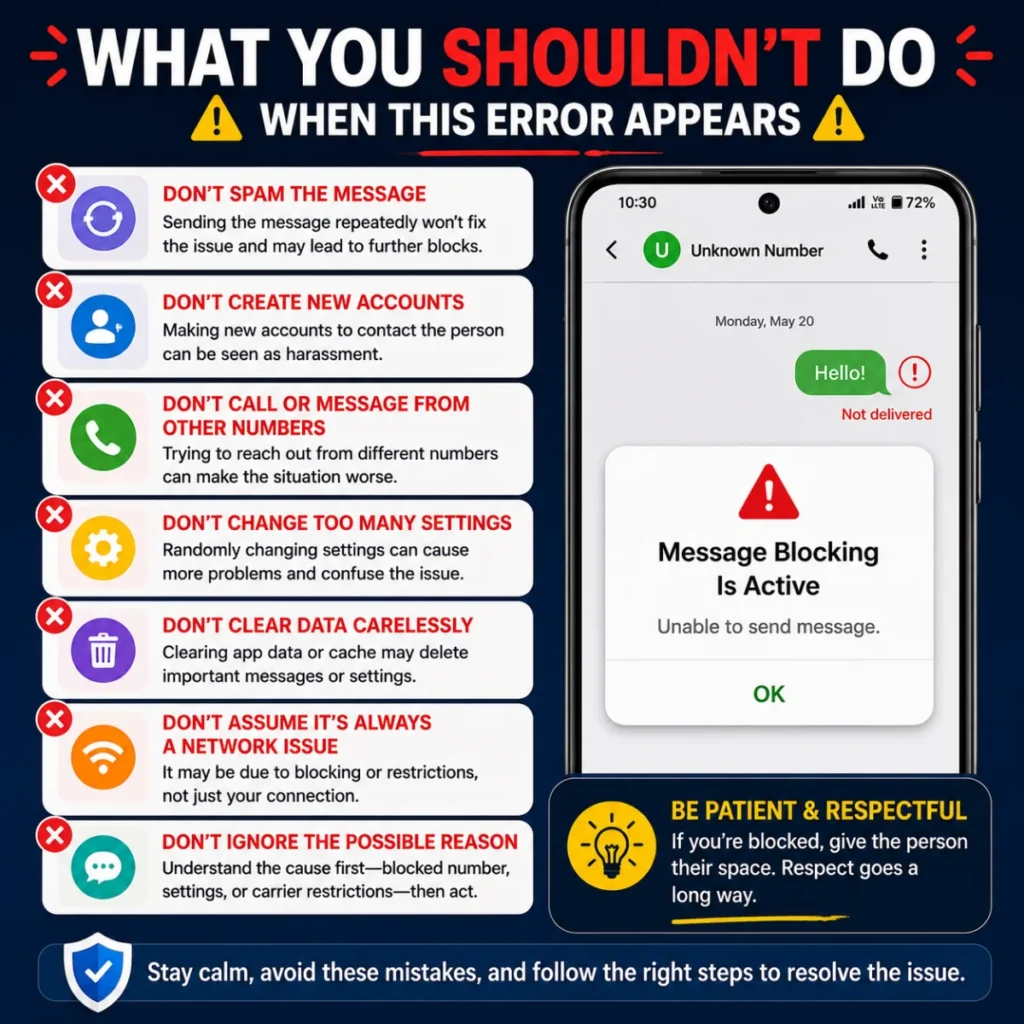
A few common reactions can make troubleshooting harder.
What You Shouldn’t Do When This Error Appears
Don’t Immediately Assume You’ve Been Blocked
The error itself doesn’t prove that someone has blocked you. Several other issues, including carrier restrictions, account settings, or a blocked number on your own phone, can trigger the same message.
Don’t Keep Resending the Same Message
Repeatedly sending the message usually won’t fix the problem. If your carrier or phone is blocking the message, identify the underlying restriction first.
Don’t Change Advanced Network Settings Randomly
Avoid changing APN or SMSC settings unless you know the correct values for your carrier. Incorrect settings can create additional messaging problems.
Don’t Factory Reset Your Phone as a First Step
A factory reset is unnecessary for most messaging errors. Try basic troubleshooting and check your carrier account before considering such a drastic step.
Don’t Install Random SMS Repair Apps
Third-party apps generally can’t remove carrier-level SMS restrictions. They may also create unnecessary privacy or security concerns.
When Message Blocking Is Active but Other Messages Work
This situation deserves special attention because it can reveal the source of the problem.
Suppose you can text one friend but can’t text another. Your phone’s entire SMS system probably isn’t completely disabled. The problem may instead involve the particular number, recipient, routing, or a block.
Now consider the opposite scenario. You can’t text anyone, even after checking several valid numbers. That pattern points more strongly toward your account, SIM, network, or carrier.
There is also a third possibility: ordinary texts work, but messages to automated services don’t. In that case, short-code or premium messaging restrictions may be more relevant.
Therefore, test with more than one recipient before making major changes. One successful or failed message can provide useful diagnostic information.
Carrier Support May Be the Best Solution
If you’ve checked the number, blocked list, SIM, and basic settings and the error remains, contact your mobile carrier.
Tell support exactly what is happening. For example:
“I can’t send SMS messages, and I receive a ‘Message Blocking is active’ error.”
Also explain whether the issue affects one number or every recipient. Mention if you’re using a new SIM, eSIM, recently changed plan, or recently switched phones.
The carrier can check whether SMS is enabled on your line and whether an account-level restriction or provisioning issue is preventing outgoing messages. Current carrier guidance specifically recommends checking account and messaging configuration when basic troubleshooting doesn’t resolve the issue.
This is often the most efficient step because some restrictions cannot be removed from the phone itself.
Common Myths About Message Blocking Is Active
Myth 1: It always means someone blocked you
Fact: The message can result from several different restrictions. A blocked contact is only one possibility.
Myth 2: Restarting the phone always fixes it
Fact: Restarting can clear temporary problems, but it cannot remove an account-level carrier restriction.
Myth 3: If internet messaging works, SMS should work too
Fact: Apps and services that use Wi-Fi or mobile data don’t necessarily depend on your carrier’s SMS service.
Myth 4: The messaging app is always responsible
Fact: The carrier, account, SIM, recipient number, or network configuration may be responsible instead.
Myth 5: You need to factory-reset the phone
Fact: A factory reset is rarely an appropriate first response. Basic checks and carrier verification should come first.
Practical Troubleshooting Checklist
When you see the error, follow this order:
- Check whether the problem affects one person or everyone.
- Verify the recipient’s phone number.
- Check your blocked contacts.
- Restart your phone.
- Confirm your SIM/eSIM is active.
- Check cellular signal and service.
- Review your mobile plan and account status.
- Check SMS/MMS settings.
- Install relevant phone or carrier updates.
- Test another recipient.
- Contact your carrier if the error continues.
This sequence starts with the easiest checks and gradually moves toward issues that require carrier assistance.
Frequently Asked Questions
What does “message blocking is active” mean?
It means a restriction is preventing an SMS or MMS message from being sent or delivered. The restriction may involve your phone, recipient, mobile account, SIM, or carrier.
Does “message blocking is active” mean I was blocked?
Not automatically. If the error occurs with only one person, blocking is one possibility. However, account and carrier restrictions can produce similar errors.
Why can I use the internet but not send texts?
Internet access and SMS service are separate systems. Your phone can have working mobile data or Wi-Fi while SMS remains unavailable or restricted.
Why does the error happen only with one contact?
A recipient-specific block, incorrect number, routing issue, or restriction associated with that line may be involved. Check your blocked list and verify the number first.
Can restarting my phone remove message blocking?
It can help if the issue comes from a temporary connection or software problem. However, restarting won’t normally remove a carrier-level account restriction.
Why do verification codes fail while normal texts work?
Verification messages often use short codes or specialized messaging routes. Your carrier or plan may restrict those services even when ordinary SMS works.
Should I reset my network settings?
It can be a useful later troubleshooting step, especially when other network-related problems exist. However, try simpler checks first because resetting network settings can remove saved network configurations.
When should I contact my carrier?
Contact your carrier when you cannot send SMS to multiple recipients after checking your number, blocked list, SIM/eSIM, and basic messaging settings. The carrier can determine whether your line has an SMS restriction or provisioning problem.
Final Thoughts
The “message blocking is active” alert looks more specific than it really is. It doesn’t automatically tell you that another person blocked you, nor does it prove that your phone is defective.
Instead, treat it as a diagnostic clue. First determine whether the problem affects one recipient or multiple people. Then check the number, blocked list, SIM/eSIM, messaging settings, and account status.
If those checks don’t help, your carrier is usually the right place to investigate the remaining possibilities. By troubleshooting in that order, you can avoid unnecessary resets and quickly identify whether the issue comes from your phone, your account, the recipient, or the mobile network.

Serhii Dunev is a passionate content creator dedicated to crafting meaningful texts, messages, and word inspirations. He aims to help people express their emotions clearly through simple and impactful words.