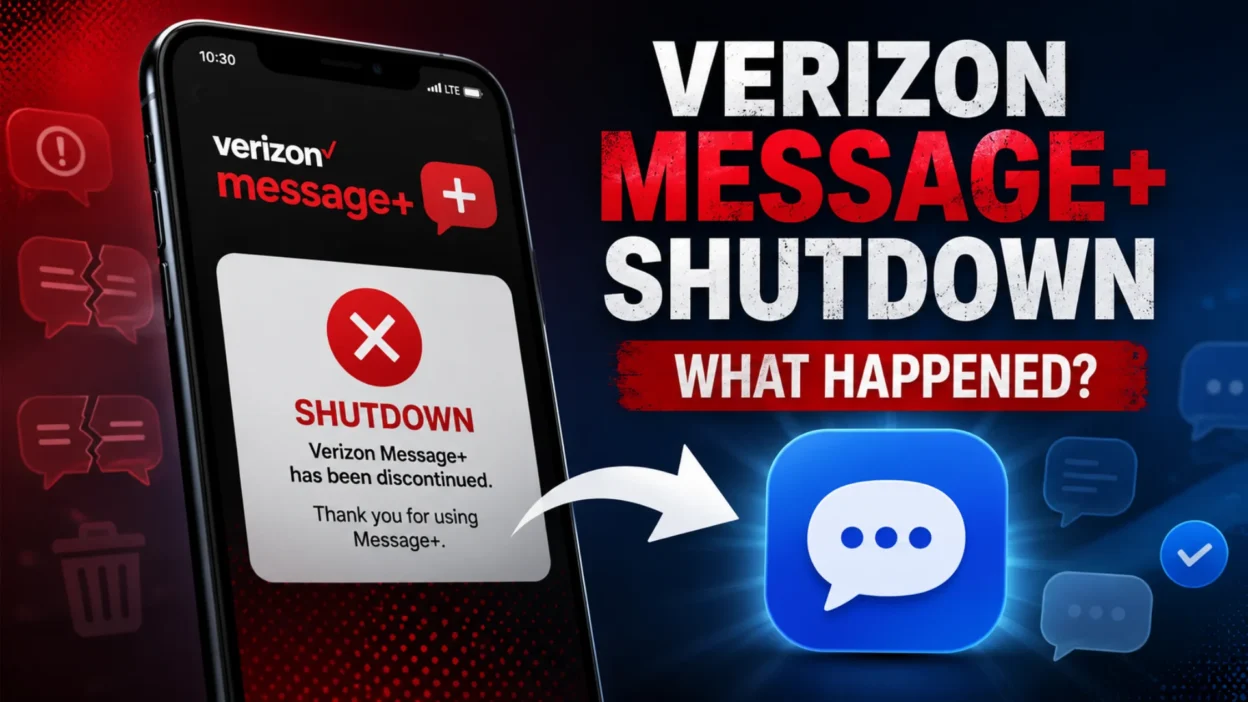
If you’re searching for Verizon Message+ plus shutdown, you may be wondering why the app stopped working and whether Verizon ended its texting service. The important distinction is that Verizon retired its Message+ messaging platform, not its regular SMS or MMS service.
Verizon completed the Message+ shutdown in December 2024. Android users were directed toward Google Messages, while iPhone and iPad users could continue using Apple’s Messages app.
What Was Verizon Message+?
Verizon Message+, also known as Verizon Messages, was a messaging application created for Verizon customers. It allowed users to send and receive traditional text and multimedia messages.
The app offered more than basic SMS. Users could access conversations across supported devices and manage messages from different screens. That made Message+ useful for people who wanted their conversations available beyond their primary smartphone.
For example, someone could start a conversation on a phone and continue managing messages from another supported device. Group messaging, multimedia sharing, and other features also made the service more flexible than basic texting.
Over time, however, the messaging landscape changed. Modern messaging standards became more common, and Android users gained access to increasingly capable messaging apps.
When Did the Verizon Message+ Shutdown Happen?
The Verizon Message+ shutdown took place during late 2024.
Verizon began communicating the retirement of the service in October 2024. The company later completed the shutdown in December.
| Event | Timing |
|---|---|
| Shutdown announcements | 2024 |
| Retirement process began | October 2024 |
| Final discontinuation | December 2024 |
| Current status | No longer supported |
Some older information may mention different shutdown dates. That’s because Verizon’s original schedule changed during the transition.
Therefore, if you see November 2024 mentioned on an older page, don’t assume that information conflicts with the final status. Verizon ultimately discontinued Message+ in December 2024.
Why Did Verizon Shut Down Message+?
The decision reflected a broader change in mobile messaging.
Traditional carrier messaging apps became less necessary as established platforms began supporting richer messaging features. RCS also became increasingly important on Android.
Google Messages emerged as a major Android messaging platform. It supports SMS and MMS while also providing modern RCS capabilities on compatible devices.
As a result, maintaining a separate Verizon messaging application offered less value than it once did.
Verizon could instead direct customers toward established messaging apps that were already being developed and updated for modern smartphones.
How RCS Changed the Messaging Landscape
RCS stands for Rich Communication Services. It was designed to provide a more modern experience than traditional SMS.
Depending on the device, carrier, and messaging service, RCS can support features such as:
- Higher-quality media sharing
- Improved group conversations
- Read receipts
- Typing indicators
- Richer messaging features
- Better support for modern chat experiences
These features helped change what users expected from texting.
Consequently, a carrier-specific application like Message+ became less essential. Users could receive advanced messaging features through platforms that were already widely available.
What Replaced Verizon Message+?
The replacement depends on your device.
Android: Google Messages is the recommended option.
iPhone: Apple Messages is the standard messaging app.
iPad: Apple Messages can continue handling supported messaging features.
The important point is that Verizon didn’t replace Message+ with another Verizon-branded messaging app. Instead, customers were directed toward existing messaging platforms.
What Should Android Users Do?
If you previously depended on Message+ on Android, switching to Google Messages is the most straightforward option.
Open Google Messages and follow the setup instructions. Android may ask you to make it your default SMS application.
Once you’ve selected it as the default, new SMS and MMS messages should appear there.
It’s also worth checking your existing conversations after making the switch. This helps confirm that important message history is available before you completely move away from the old workflow.
What Should iPhone Users Do?
iPhone users don’t need to search for a replacement Verizon application.
Apple’s Messages app handles regular messaging on iPhone. It supports SMS and MMS when communicating through cellular messaging and also provides Apple’s own messaging features for compatible users.
Therefore, the Message+ shutdown doesn’t require iPhone owners to install an old Verizon messaging application.
Simply continue using the supported messaging experience already available on the device.
Will Your Verizon Phone Number Stop Working?
No.
The Message+ shutdown does not mean Verizon canceled your phone number.
Message+ was a messaging platform. Your Verizon wireless service operates separately.
You can still make calls and send traditional text messages through a supported messaging application. Your phone number remains associated with your Verizon wireless account unless you separately change or cancel the service.
This distinction is important because the phrase “Verizon shutdown” can sound broader than it really was.
Can You Still Send Text Messages?
Yes.
The retirement of Message+ did not end Verizon’s SMS or MMS service.
You can continue texting through a supported messaging application on your phone.
For Android users, Google Messages is the practical replacement. On iPhone, Apple’s Messages app continues to handle texting.
So, if your old Message+ app no longer works, that doesn’t necessarily indicate a problem with your Verizon account or cellular service.
What Happened to Old Message+ Messages?
This is one of the biggest concerns for former users.
People often worry that switching applications means losing years of conversations. Verizon’s guidance indicated that previous SMS and MMS messages stored locally on a device could remain available through a replacement messaging application.
However, message history can depend on the phone, operating system, storage method, and previous configuration.
For that reason, check your conversations after switching apps.
If a particularly important conversation isn’t visible, don’t immediately assume it has been permanently deleted. First check your messaging settings and available device backups.
Can You Download Message+ Again?
Message+ is no longer an officially supported messaging service.
You might still encounter websites claiming to offer an old version of the application. That doesn’t mean the service has returned.
An old application package can’t restore a service that Verizon has already discontinued.
It’s also unwise to install unfamiliar application files simply because they claim to bring Message+ back. Unsupported software can create compatibility and security problems.
The better approach is to use a current messaging application designed for your device.
What Happened to Verizon Web Messaging?
Message+ wasn’t limited to smartphones.
Verizon previously provided ways for customers to manage messages through other supported devices and web-based experiences. Those capabilities were also phased out as Verizon moved away from the Message+ ecosystem.
This is why some former users noticed that the service disappeared from more than one place.
The change wasn’t simply an app update. Verizon was retiring the broader Message+ platform.
Message+ vs. Google Messages
Although Google Messages is the recommended Android alternative, it isn’t an identical copy of Message+.
| Feature | Message+ | Google Messages |
|---|---|---|
| Verizon messaging platform | Yes | No |
| Current support | Discontinued | Active |
| SMS | Yes | Yes |
| MMS | Yes | Yes |
| RCS | Limited to its historical implementation | Supported on compatible devices |
| Android use | No longer recommended | Recommended |
| Verizon-branded | Yes | No |
The biggest difference is longevity.
Message+ depended on Verizon’s continued support. Google Messages is part of Google’s ongoing Android messaging ecosystem.
Common Problems After the Shutdown
The transition can create confusion when an old app remains on a phone.
Message+ Opens but Doesn’t Work
An outdated installation may still appear on your device even though the service itself has ended.
In that situation, reinstalling the same application isn’t a meaningful fix.
Instead, move to your device’s current messaging application.
Old Conversations Aren’t Showing
Message history can sometimes take time to appear after changing applications.
Check whether the replacement app has been selected as your default messaging application. Then review the conversation list and device storage.
If you’re moving between phones, the process can be different because your messages may depend on backups or device-transfer settings.
Messages Send as SMS Instead of RCS
This doesn’t necessarily mean your phone is broken.
RCS availability can depend on device compatibility, software, carrier support, and the recipient’s messaging setup.
Therefore, SMS may still be used when an RCS conversation isn’t available.
Group Messages Look Different
Group conversations may behave differently after moving from Message+ to another messaging platform.
Features, notifications, and conversation layouts can vary between apps. That’s normal during a platform change.
Did the Shutdown Affect Group Texts?
The transition caused some confusion around group messaging.
Some Verizon customers encountered automated notifications involving group conversations during the retirement period. These notifications could make it appear as though something had happened to their phone number or account.
In reality, Message+ was being phased out.
A group-message notification connected with the transition doesn’t automatically mean your Verizon service has been canceled.
What You Shouldn’t Do After Message+ Stops Working
Avoid a few common mistakes.
Don’t keep reinstalling Message+. The underlying service has been discontinued.
Don’t assume Verizon texting has ended. SMS and MMS still work through supported messaging apps.
Don’t download random APK files. An unofficial copy cannot restore Verizon’s discontinued platform.
Don’t immediately erase your old phone. If you’re concerned about message history, check your conversations and backups first.
Don’t confuse Message+ with your Verizon account. The app and your wireless service are separate.
These simple precautions can prevent unnecessary frustration.
Is the Verizon Message+ Shutdown Permanent?
Yes, the shutdown should be treated as permanent.
Message+ is no longer Verizon’s supported messaging platform. There is no reason to expect a routine update to bring the old service back.
Instead, Verizon has moved customers toward established messaging applications.
For Android users, that means Google Messages. For Apple users, Apple’s Messages app remains the standard option.
Does the Shutdown Affect Calls or Mobile Data?
No.
The retirement of Message+ specifically concerns Verizon’s messaging platform.
It doesn’t mean Verizon shut down its cellular network, voice service, or mobile data.
If calls and mobile data continue working normally but Message+ doesn’t, the difference is likely related to the discontinued application rather than your wireless connection.
However, if calls, mobile data, and texting all stop working, you may have a separate account, SIM, eSIM, network, or device problem.
Is There a Verizon Message+ Replacement With the Same Features?
Not exactly.
There isn’t a current Verizon app that simply recreates the old Message+ experience feature for feature.
Instead, customers use the messaging application supported by their device.
This approach also means your experience may differ depending on whether you’re using Android or iPhone.
That’s one reason online discussions about Message+ can seem inconsistent. Different devices have different messaging systems.
What Former Message+ Users Should Do Now
If you’re still dealing with the Verizon Message+ shutdown, the process is fairly simple.
- Check which messaging app your phone currently uses.
- Android users should use Google Messages.
- iPhone users should continue with Apple Messages.
- Set the appropriate app as your default when prompted.
- Review your old conversations.
- Check important message backups if anything appears missing.
- Avoid unofficial Message+ downloads.
- Contact Verizon if normal SMS or MMS also fails.
You don’t need to replace your Verizon phone number just because Message+ ended.
The goal is simply to move your messaging activity to a supported platform.
Frequently Asked Questions
Why did Verizon Message+ shut down?
Verizon retired Message+ as the messaging industry moved toward modern platforms and RCS-based experiences. Maintaining a separate carrier messaging application became less necessary.
Is Verizon Message+ still available?
No. Message+ has been discontinued and is no longer an officially supported Verizon messaging application.
What app should Verizon Android users use now?
Google Messages is the recommended messaging application for Verizon Android users.
What should iPhone users use after Message+?
iPhone users can use Apple’s built-in Messages app for their messaging needs.
Did Verizon shut down SMS texting?
No. Verizon still supports SMS and MMS messaging. The discontinued service was the Message+ platform.
Can I get Message+ back?
There isn’t an official way to restore the discontinued Message+ service. An old installation doesn’t bring the underlying service back.
Did Message+ shutdown cancel my phone number?
No. The Message+ retirement doesn’t cancel your Verizon wireless number.
Can I recover old Message+ conversations?
Previous SMS and MMS messages may remain available depending on how they were stored on your device. Check your replacement messaging application and available backups before assuming messages are lost.
Conclusion
The Verizon Message+ plus shutdown marked the end of Verizon’s dedicated messaging platform, not the end of Verizon texting.
The service was retired in December 2024 as Verizon shifted customers toward modern messaging options. Android users can move to Google Messages, while iPhone and iPad users can continue using Apple’s Messages app.
If Message+ has stopped working on your device, there’s no need to search for an unofficial version. Move to a supported messaging application, check your existing conversations, and continue using your Verizon number normally.

Serhii Dunev is a passionate content creator dedicated to crafting meaningful texts, messages, and word inspirations. He aims to help people express their emotions clearly through simple and impactful words.