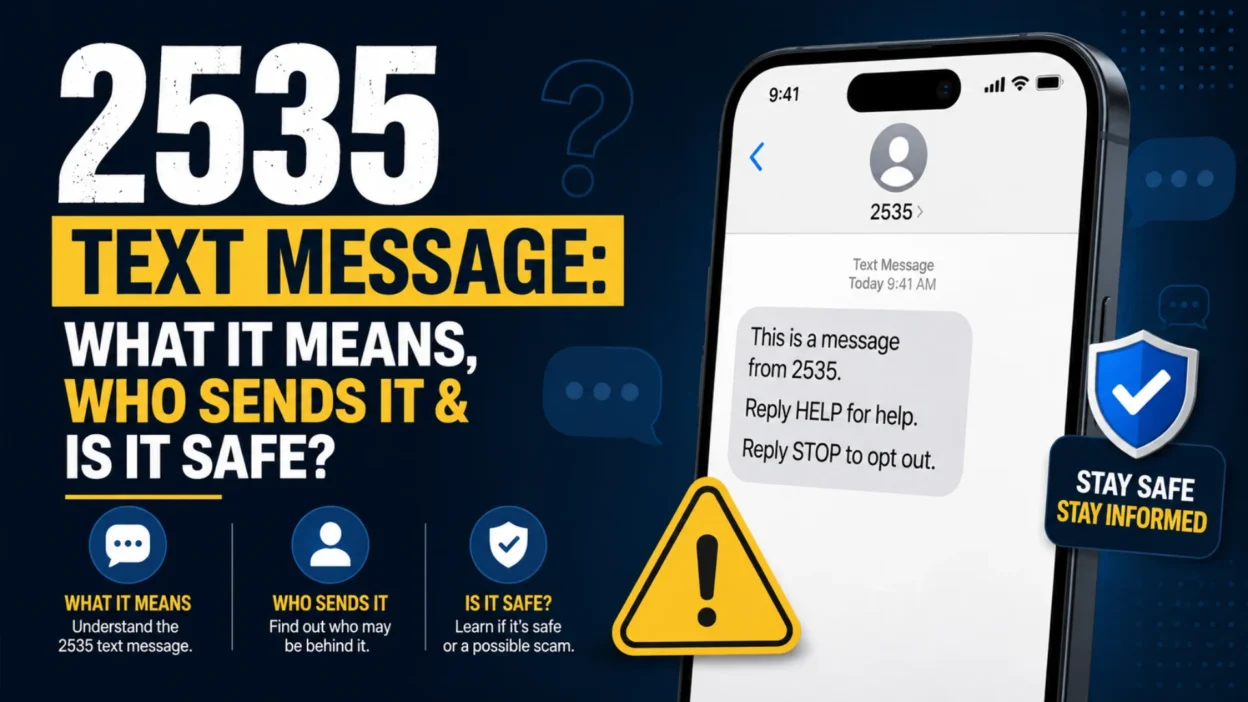
If you received a 2535 text message, you may be wondering who sent it, why it appeared on your phone, and whether you should trust it. The number 2535 is a five-digit SMS short code, and T-Mobile currently lists 2535 among its campaign short codes. T-Mobile also lists #2535# as a self-service code that can notify you when your bill is ready. However, seeing 2535 on your screen does not automatically prove that every message associated with it is legitimate, so the content and links inside the message still matter.
What Is a 2535 Text Message?
A message from 2535 is associated with a short code, rather than a regular 10-digit phone number. Short codes are typically five or six digits and are designed for high-volume text communication between organizations and consumers. The FCC describes short codes as an addressing system used by businesses and other organizations to send SMS or MMS messages at scale.
T-Mobile’s current support information specifically lists 2535 among its campaign codes. The same T-Mobile page also identifies #2535# as a code that can notify customers when their bill is ready.
That means a 2535 message may be connected with a T-Mobile-related campaign or service notification. However, the exact reason you received a message depends on what the message says and how your number became associated with the communication.
Is 2535 a T-Mobile Number?
There is strong evidence connecting 2535 with T-Mobile’s messaging and campaign systems. T-Mobile’s official support page includes 2535 in its list of campaign codes and separately lists #2535# for a bill-ready notification.
Still, it’s important to distinguish between a short code being associated with a carrier and a particular message being verified as genuine.
If the message claims to be from T-Mobile, check whether its wording, links, and request make sense. Don’t rely on the number alone when deciding whether a message is safe.
Why Did I Get a Text From 2535?
There are several possible reasons you may receive a message associated with 2535.
You could receive a carrier-related notification because of your mobile account, billing information, a campaign, or another messaging service. T-Mobile’s documentation confirms that 2535 is part of its campaign-code list, so not every message from the code necessarily has the same purpose.
Another possibility is that you previously interacted with a service or campaign that uses text messaging. Short-code programs can send account notifications, promotions, reminders, authentication messages, and other automated communications.
If the message arrived unexpectedly, focus on the actual content before taking any action.
What Kind of Messages Can Come From 2535?
A short code can support different types of messaging. The exact content can vary by campaign or service.
A 2535 text could potentially relate to a T-Mobile campaign or account communication. Depending on the specific program, messages may contain information, instructions, promotional content, or a request to respond.
T-Mobile’s own documentation confirms that 2535 is used within its campaign infrastructure.
Because short codes can support different programs, you shouldn’t assume that every message has one fixed purpose.
Does 2535 Mean My T-Mobile Bill Is Ready?
There is an important distinction here.
T-Mobile’s support page lists #2535# as a self-service code that can notify you that your bill is ready.
That doesn’t necessarily mean that every incoming SMS from the sender 2535 is simply a bill notification.
The hash-and-number service code and the incoming short-code sender should not be treated as identical functions. If your message specifically mentions a bill, sign in to your T-Mobile account through the official app or website rather than relying on a link inside an unexpected text.
Is the 2535 Text Message a Scam?
Not necessarily. The available evidence connects 2535 with T-Mobile’s campaign and self-service systems, so it would be inaccurate to label every 2535 text as a scam.
At the same time, a familiar short code isn’t a guarantee that a particular message is safe. The FCC has noted that short codes are easier to identify than ordinary numbers because of their registration and provisioning systems, but spoofing or abuse is still possible.
Therefore, evaluate the message itself.
Be especially careful if the text:
- asks for your password
- requests a payment
- asks for banking information
- demands an urgent response
- contains a suspicious link
- claims your account will immediately be closed
- asks you to install an unfamiliar application
- requests a verification code that you didn’t initiate
A legitimate-looking sender should not override basic security precautions.
How to Tell If a 2535 Text Is Legitimate
Start by reading the entire message carefully. Don’t immediately tap a link just because the sender appears familiar.
Next, ask whether the message matches something you actually did. For example, if you recently changed your mobile plan, checked an account, or interacted with a T-Mobile service, a related notification may make sense.
You should also inspect links before opening them. A message claiming to be from a carrier should not send you to an unrelated domain or a suspicious-looking website.
Most importantly, verify account issues independently. Open the official T-Mobile app or manually visit the company’s official website instead of following an unexpected payment or login link.
What Should You Do If You Received 2535 Unexpectedly?
If you weren’t expecting the message, don’t panic and don’t click anything immediately.
Read the message and determine what it is asking you to do. If it only contains an informational notification that matches your account activity, you may not need to do anything.
If it asks you to sign in, make a payment, provide personal information, or follow an unfamiliar link, verify the claim independently.
For an account-related issue, use your carrier’s official app or website. This approach removes the risk of accidentally giving information to a fraudulent website.
Should You Reply to 2535?
Whether you should reply depends on the specific message and program.
Legitimate short-code campaigns may provide instructions such as HELP or STOP. Common short-code programs are generally designed around consumer consent and may provide an opt-out mechanism.
However, don’t blindly respond to an unexpected message just because it says to reply. If you’re uncertain about its legitimacy, verify the sender and program first.
If you already know that the message belongs to a legitimate service you subscribed to, follow that service’s stated instructions.
What Does STOP Mean in a Short-Code Text?
STOP is commonly used to opt out of recurring messages from a short-code program.
Consumer guidance for common short codes explains that users can generally text STOP to the originating short code to opt out, followed by a confirmation message.
However, don’t assume that every suspicious message should be answered. If the message appears fraudulent, avoid interacting with it and use your carrier’s spam-reporting options instead.
The safest response depends on whether you’ve verified the source.
What Does HELP Mean in a 2535 Message?
HELP is commonly used by legitimate messaging programs to provide information about the service, including available commands or support instructions.
Short-code systems can use keywords such as HELP and STOP to manage consumer interactions.
If a 2535 message tells you to send HELP, consider whether you recognize the program first. An unexpected text should still be treated cautiously, particularly if it also contains a suspicious link or asks for sensitive information.
Can a Short Code Be Spoofed?
Yes, short codes are not completely immune to abuse.
The FCC explains that short codes generally make senders easier to identify because of their registration and provisioning process. However, the agency also notes that spoofing is not impossible.
That’s why the sender number should be only one part of your security check.
If the message claims that your account has a problem, verify the problem through the official service rather than trusting the text alone.
2535 Text Message vs. Regular Phone Number
A regular mobile number normally contains 10 digits in the United States. A short code such as 2535 contains only five digits.
| Feature | 2535 Short Code | Regular Phone Number |
|---|---|---|
| Length | Five digits | Usually 10 digits |
| Common purpose | High-volume messaging | Calls and individual texts |
| Typical users | Businesses and organizations | Individuals and businesses |
| Voice calls | Short codes are generally for messaging | Usually supports voice calls |
| Messaging | SMS/MMS | SMS/MMS |
| Identification | Short code system | Telephone number |
The FCC defines short codes as five- to six-digit addressing mechanisms used for high-volume consumer messaging.
Why Do Companies Use Short Codes?
Short codes make large-scale messaging more efficient.
A business or service provider may need to send thousands or millions of messages for alerts, account notifications, authentication, reminders, or campaigns. A short code provides a recognizable messaging channel for that type of communication.
The CTIA describes common short codes as five- or six-digit numbers used to send and receive messages with consumers across participating U.S. wireless providers.
This is why seeing a five-digit sender doesn’t automatically mean you’re dealing with spam.
What If the 2535 Text Contains a Link?
Treat links carefully, particularly when you weren’t expecting the message.
Don’t click simply because the text says your account is locked, your bill is overdue, your payment failed, or you must verify information immediately.
Instead, open the relevant official app or type the organization’s known website into your browser yourself. Then check whether the claimed issue actually exists.
This is a simple way to avoid many text-message phishing attempts.
What If 2535 Asks for Personal Information?
Don’t provide sensitive information through an unexpected text.
This includes passwords, full payment-card information, banking credentials, security answers, or one-time verification codes.
If the message claims to be from your carrier, access your account independently and check for notifications there. A legitimate account issue can generally be verified without trusting an unexpected link.
What If I Already Clicked the 2535 Link?
If you clicked a link but didn’t enter any information or download anything, close the page and avoid further interaction.
If you entered a password, change that password through the legitimate website or app. Use a unique password where possible.
If you entered financial information, contact your financial institution through an official number or app and explain what happened.
If you downloaded an unfamiliar file or application, don’t open it again. Review your device for recently installed software and use your device’s built-in security tools.
The appropriate response depends on what information you shared and what happened after clicking.
What If I Replied to the Message?
If you replied to a message from 2535, don’t assume that you have been hacked. A reply by itself doesn’t necessarily compromise your device.
However, stop engaging if the conversation begins requesting passwords, payment information, verification codes, or other sensitive details.
If the message is clearly unwanted, use your phone’s reporting and blocking features where appropriate. You can also review your carrier’s spam-reporting options.
How to Block Unwanted Text Messages
The exact blocking process varies by phone.
On an iPhone, you can use the Messages app to report or block unwanted senders. Android devices also provide spam detection and blocking features, although the menu names can differ between manufacturers.
Blocking a sender can prevent future messages from reaching your normal inbox, but it doesn’t determine whether the original message was legitimate.
If unwanted texts continue from different numbers or short codes, carrier-level spam filtering may also be useful.
How to Report a Suspicious Text
If you believe a message is spam or a scam, avoid engaging with the sender.
In the United States, 7726, which spells “SPAM,” has been used as a reporting channel for unwanted text messages. FCC materials describe 7726 as a short code for forwarding text spam to participating wireless providers.
You can also use your phone’s built-in report-junk or report-spam option when available.
For serious fraud involving financial information or identity theft, consider reporting the incident to the appropriate government or financial institution.
Does Receiving 2535 Mean Someone Has Your Phone Number?
Receiving a text from a short code means that your mobile number was included in the message delivery process. It doesn’t by itself reveal how the sender obtained your number.
You may have provided your number during account registration, opted into a campaign, used a service, or received a message through an account-related program.
If the message is unexpected, focus on verifying its legitimacy rather than trying to determine the sender’s exact source of your number from the short code alone.
Why Would I Receive 2535 If I Never Signed Up?
Unexpected messages can happen for several reasons.
Your number may have been associated with a previous account holder, a service registration, a campaign, or an automated messaging system. A mistyped number can also result in a message reaching the wrong person.
If the message appears legitimate but clearly isn’t intended for you, avoid providing information and consider contacting the organization through its official support channel.
If the message looks suspicious, treat it as potentially unwanted rather than assuming you need to respond.
Common Red Flags in a 2535 Text
The sender number alone isn’t enough to judge a message. Look for warning signs in the content.
Urgent language is one major clue. Messages that threaten immediate account closure, unexpected charges, or legal action can be designed to make you react before thinking.
Unexpected links are another concern. Be especially cautious when the link doesn’t clearly match the organization named in the message.
Requests for passwords, payment details, verification codes, or other sensitive information should also raise suspicion.
Finally, poor grammar, unusual formatting, strange domains, and unrealistic offers can indicate that the message isn’t what it claims to be.
2535 Text Message: What You Should Remember
The number 2535 is a legitimate T-Mobile-associated short code according to T-Mobile’s current support documentation, where it appears among campaign codes. T-Mobile also lists #2535# as a code that can notify customers that their bill is ready.
That information is useful, but it doesn’t mean every message that appears to come from 2535 should automatically be trusted. Short codes can be used for legitimate high-volume messaging, and the FCC notes that short-code spoofing is still possible.
The safest approach is simple: read the message carefully, avoid unexpected links, never provide sensitive information through an unverified text, and confirm account issues through the official service.
Frequently Asked Questions
What is 2535 in text messaging?
2535 is a five-digit SMS short code. T-Mobile currently lists 2535 among its campaign short codes.
Is 2535 a T-Mobile short code?
Yes. T-Mobile’s official short-code page lists 2535 among its campaign codes. It also lists #2535# as a self-service code associated with bill-ready notifications.
Is a text from 2535 safe?
It may be legitimate, but the sender number alone doesn’t guarantee that a specific message is safe. Check the content, links, and request before taking action.
Why did I get a 2535 text?
It may be related to a T-Mobile campaign or service communication. T-Mobile identifies 2535 as one of its campaign codes.
Does 2535 mean my bill is ready?
T-Mobile lists #2535# as a code that can notify you that your bill is ready. However, an incoming message from 2535 should be interpreted based on its actual content.
Can I block 2535 texts?
You can use your phone’s spam and blocking features for unwanted messages. If you continue receiving unwanted texts, check your carrier’s available spam controls.
Should I click a link in a 2535 text?
Don’t click an unexpected link until you’ve verified the message. For account issues, open the official carrier app or website independently.
What should I do if 2535 asks for my password?
Don’t provide the password through the text. Instead, access your account through the official app or website and verify whether there is actually an account issue.
Can short codes be spoofed?
Short codes have registration and provisioning systems that can make their senders easier to identify, but the FCC notes that spoofing is not impossible.
How can I report a suspicious text?
You can use your phone’s spam-reporting feature. In the United States, unwanted text messages can also be forwarded to 7726 (“SPAM”), a reporting channel described in FCC materials.
Final Verdict
A 2535 text message is associated with T-Mobile’s short-code ecosystem, and T-Mobile officially lists 2535 as a campaign code. That makes it different from an unknown personal phone number, but it doesn’t mean you should trust every message automatically.
If the text matches something you recently did with your mobile account, it may simply be a legitimate service or campaign notification. If it contains an unexpected link, urgent payment request, login demand, or request for sensitive information, verify the claim independently before responding.
The safest rule is simple: don’t trust a text because of the sender number alone. Verify what the message is asking you to do.

Serhii Dunev is a passionate content creator dedicated to crafting meaningful texts, messages, and word inspirations. He aims to help people express their emotions clearly through simple and impactful words.